 Elyon
Elyon Photonic design studio · macOS In development

See the chip. Simulate the light.
Lumicron is a native Mac studio for photonic design — fully offline PIC design and layout, out of the box. View real layouts at GPU speed, author parametric circuits in Python, run physical electromagnetic simulations — and connect your favorite photonics solvers and AI agents when you want them.
The workflow
One studio, from layout to light.
Open real layouts, instantly.
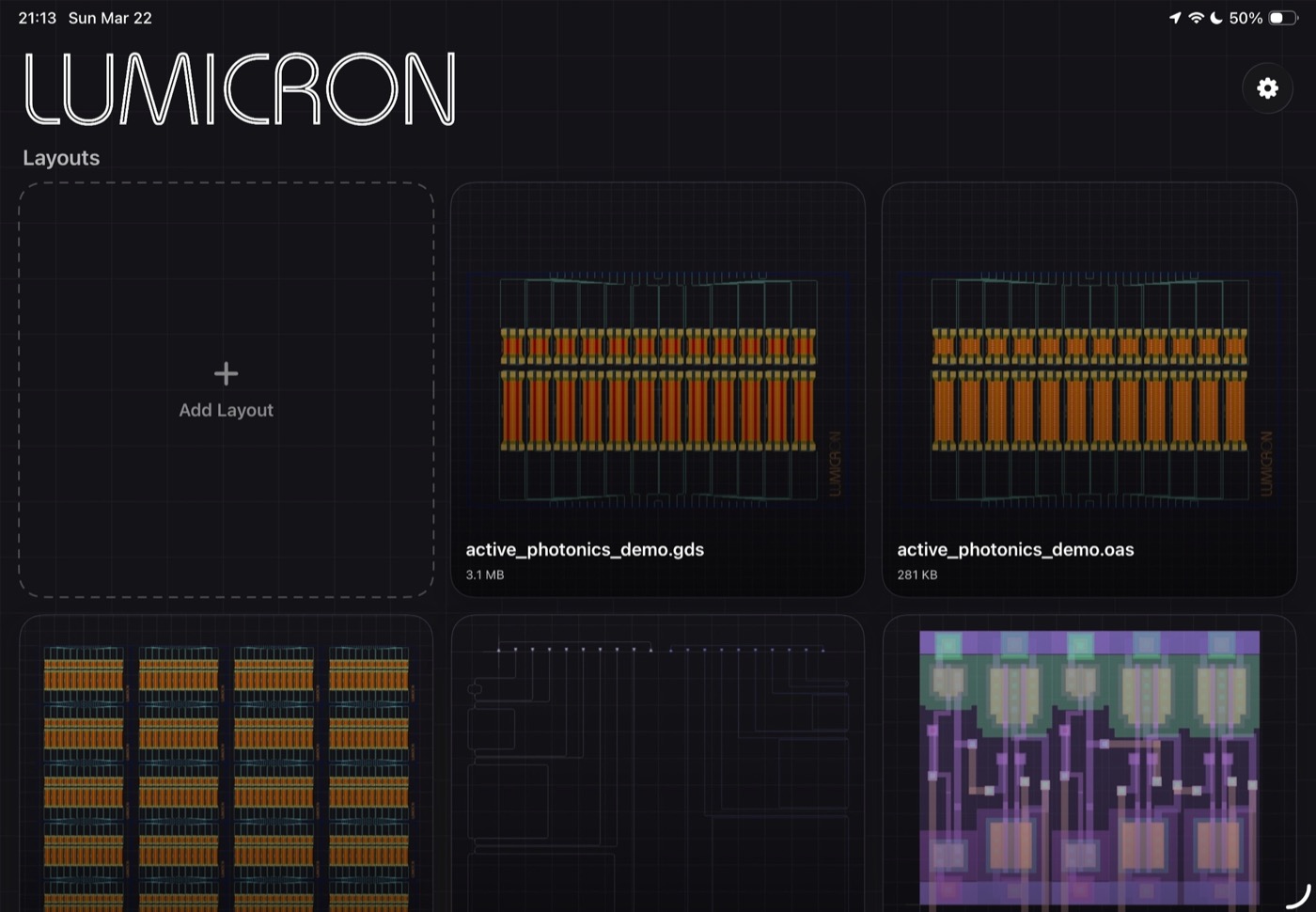
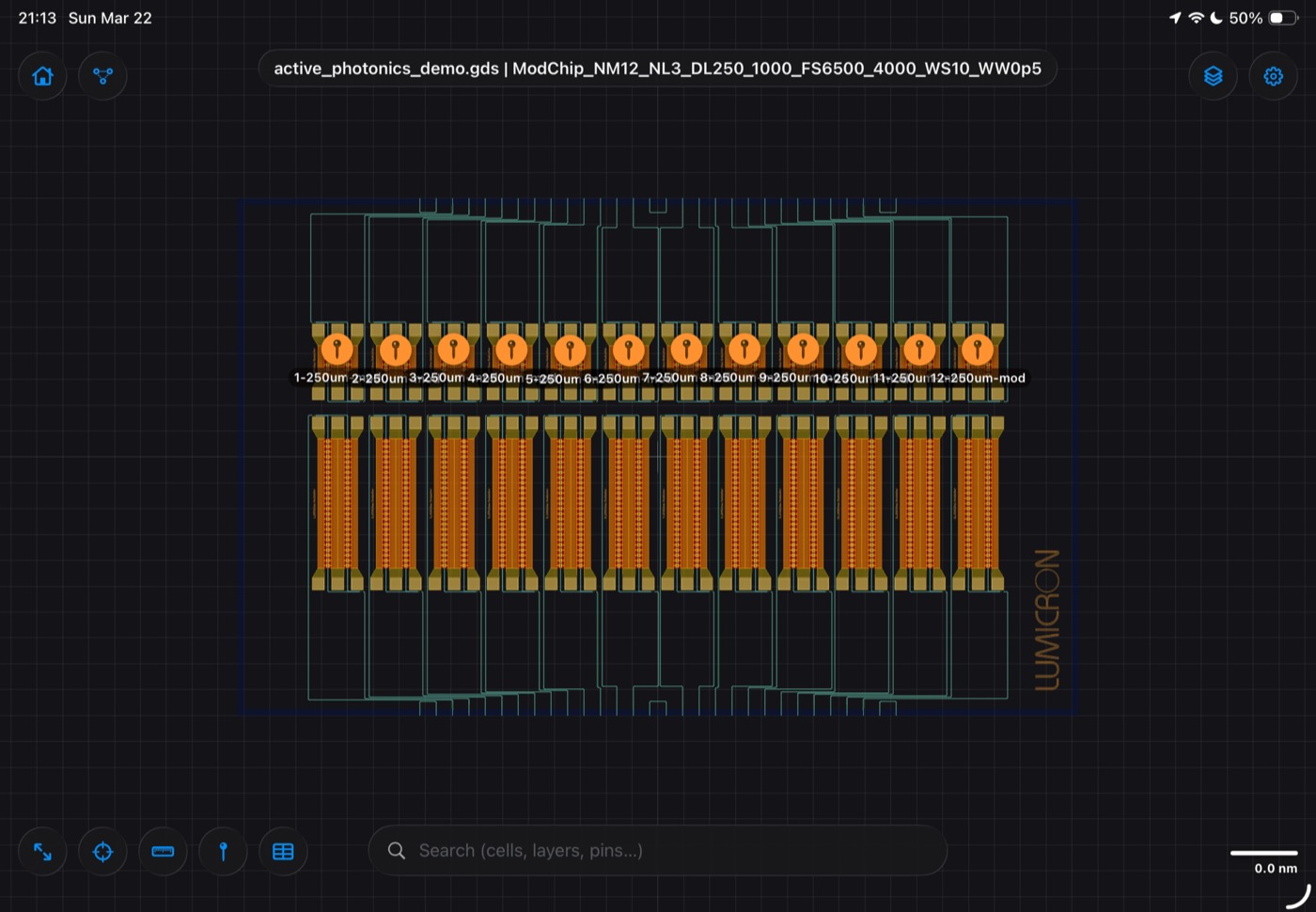
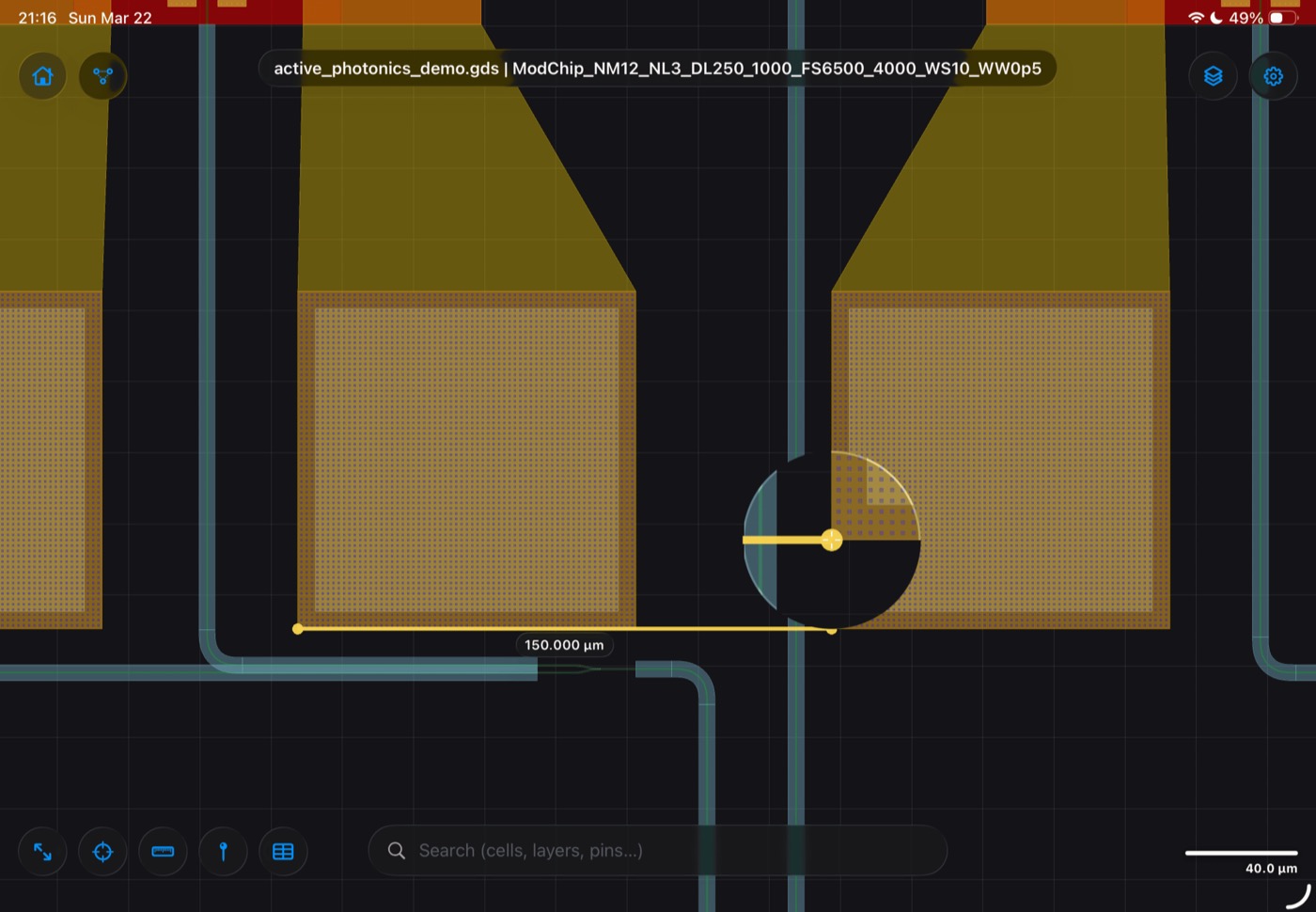
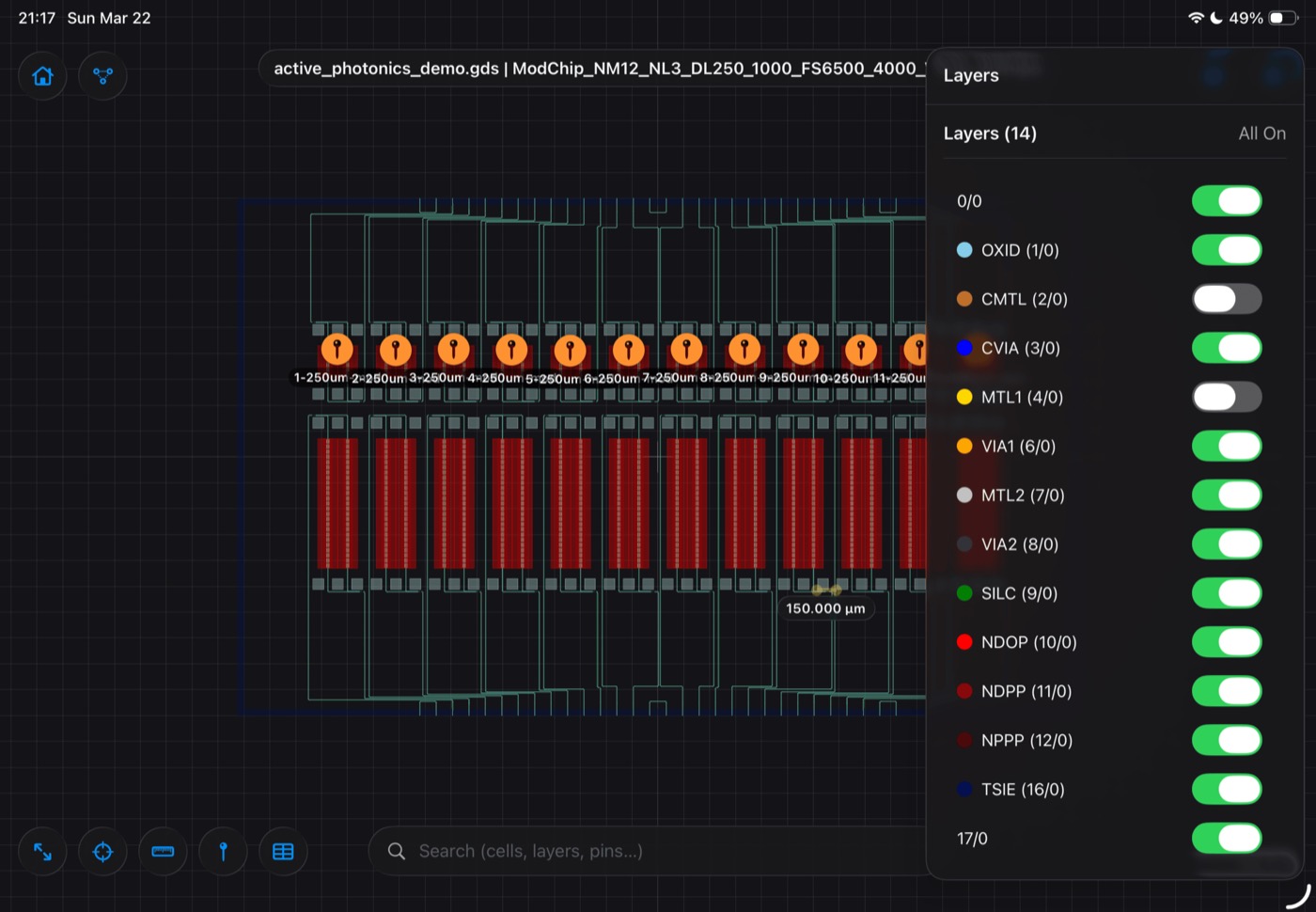
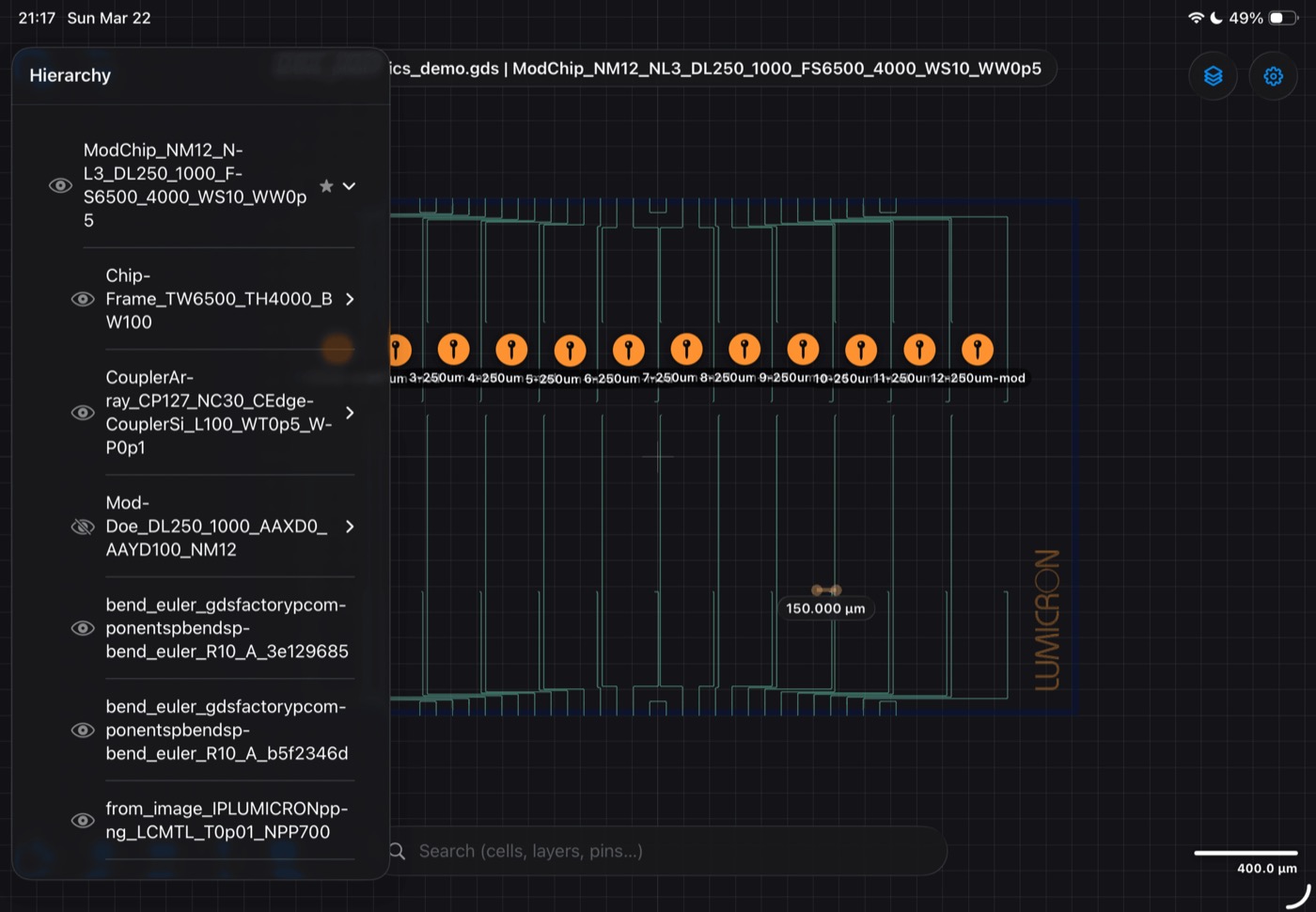
GDS and OASIS files render on a GPU-accelerated Metal canvas — with hierarchy, layers, search, and measurement rulers that keep up at full chip scale.
Design in Python.
Write parametric photonic layouts and schematics as scripts. Your designs stay plain, versionable files — no lock-in, no black box.
Run real physics.
Configure physical electromagnetic simulations, validate the setup, and launch FDTD, mode, or EME runs — then explore fields, charts, and 3D results in place.
lumicron-api — free on PyPI MIT
Start scripting today. The authoring API is free.
Lumicron's layout core ships as a free Python package: define parametric cells, place components with anchor helpers, route waveguides with automatic bends and length matching, and export straight to GDS or OASIS. A demo PDK and full guides come bundled. The studio adds the canvas, schematics, and physical simulation on top.
$ pip install lumicron-api
import lumicron_api as lm
import lumicron_api.pdks.elyon_demo.all as pdk

@lm.pcell
def MZI(arm_length: float = 300, delay_y: float = 50):
    c = lm.CELL("MZI")
    splitter = pdk.YSplitter(layer=pdk.LAYER.SILC)
    combiner = pdk.YSplitter(layer=pdk.LAYER.SILC)
    s = c.add(splitter)
    k = c.add(combiner)
    c.Place(s).at((0, 0))
    c.Place(k).using("i1").at((arm_length + 50, 0)).rotate_by(180)
    c.Route(s.port["o1"], k.port["o2"], radius=10)
    c.Route(s.port["o2"], k.port["o1"], radius=10).jog("S", by=delay_y)
    return c

if __name__ == "__main__":
    MZI().to_layout().to_gds("mzi.gds")
Lumicron companion — App Store Available now
Take Lumicron to the probe station.
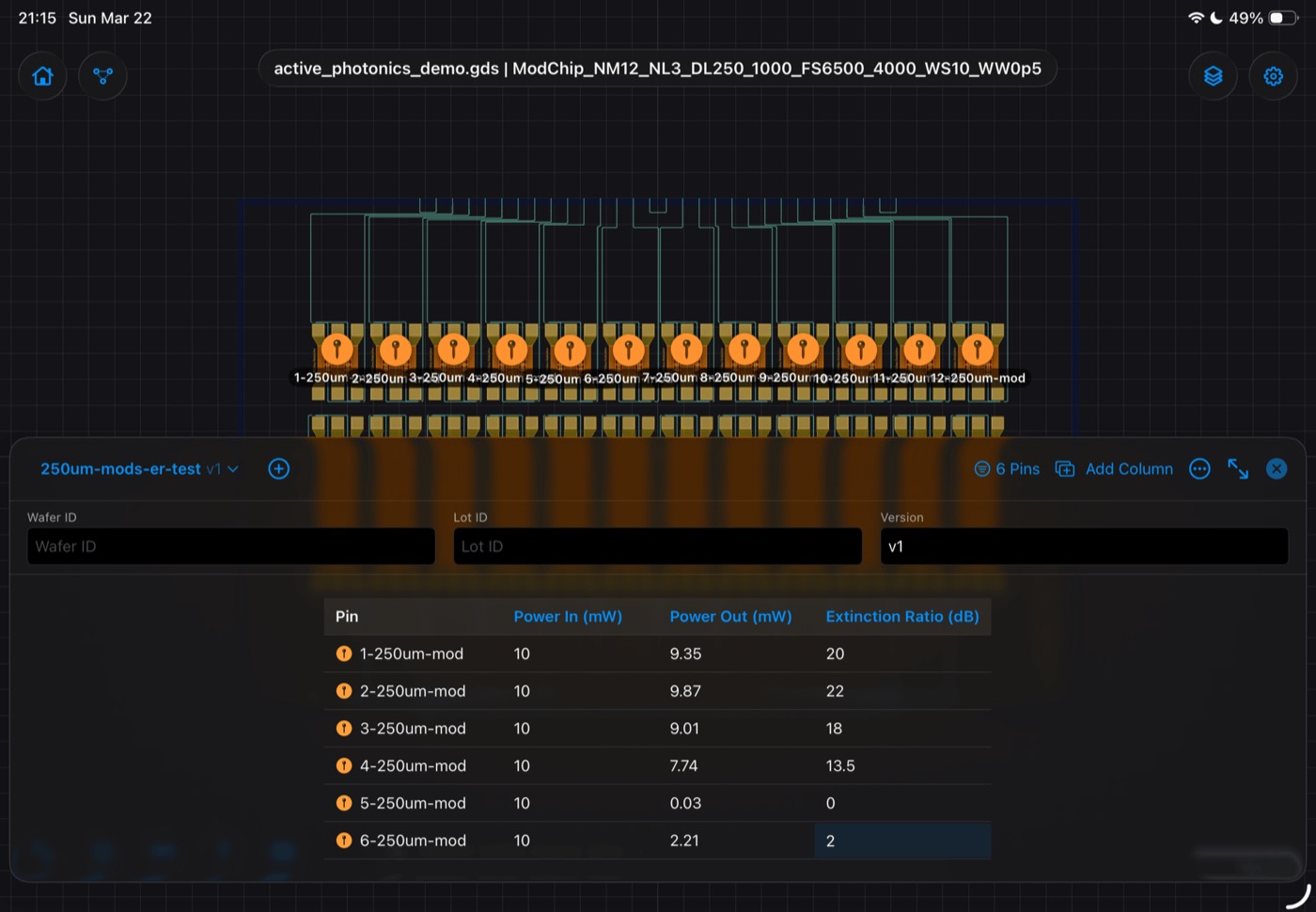
The free companion app brings your layouts to the lab: import a chip, drop pins on devices, and log measurements exactly where they belong — pinned to the device, versioned with your chip revision. No misnamed files, no spreadsheet archaeology. Built for the probe station, the cleanroom, and the desk.

Capabilities
Built for the whole photonic loop.
GPU-native viewing
GDS and OASIS rendered on Metal — smooth pan and zoom on dense, full-reticle layouts.
Python authoring
Parametric layouts and schematics from code, with live preview as you iterate. The authoring API is free on PyPI.
Physical simulation
FDTD, mode solving, and EME powered by Maple — Lumicron's own Metal‑accelerated engine, bundled free and going open source when it's ready.
Simulation workspace
Fields, spectra, and 3D structure views beside your layout — results stay with the project.
PDK-aware workflow
Installed technologies, layer styles, and design-rule checks — the fab's rules, in the studio.
Portable projects
Open formats and self-contained project bundles you can archive, share, and reopen anywhere.
Offline by design
Full PIC design and layout with zero cloud dependency — your designs never have to leave your machine.
Open to your stack
When you're ready, connect your favorite photonics solvers and AI agents — Lumicron stays engine-neutral.
Chip design tools haven't felt modern in decades. Lumicron is our answer. — Elyon Semiconductor
Early access

Be an early user.
Lumicron is in active development. If you design photonic circuits — or teach people who do — we'd love your eyes on it early.
Get in touch